Keep your clicks
LookFlow Cursor moves the pointer between displays. You decide what to click, and your keyboard focus stays unchanged.
 LookFlow
Try LookFlow
A MAC APP FOR YOUR MULTI-DISPLAY DESK
LookFlow moves the pointer to the display you’re looking at. Less travel across your desk. Your mouse stays in your hands.
macOS 14+ Camera Two or more displays
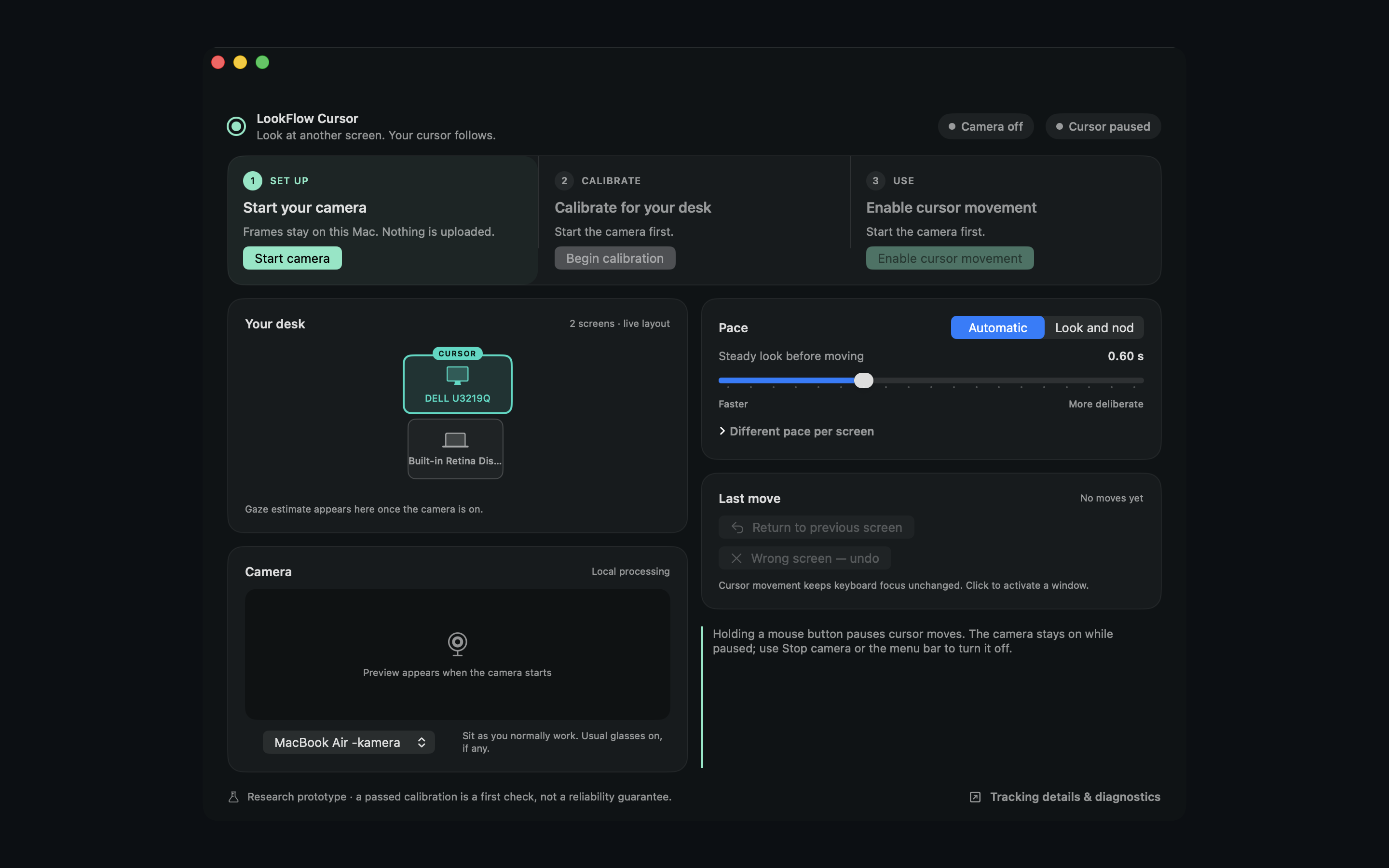
01 Your camera. Your Mac.
02 A pace you choose.
03 Click when you’re ready.
A LOOK AT EVERYDAY USE
See the pointer move between a MacBook and an external display. Recorded in LookFlow Cursor.
The app starts calibrated with movement paused. After movement is enabled, looking between the external display and the MacBook moves the pointer between them. Keyboard focus stays where it is until you click.
MADE FOR YOUR SETUP
Sit as you normally work. Keep your face and eyes visible, with your usual glasses on.
LookFlow learns your display arrangement from a personal calibration, then checks it with new targets.
Enable movement and adjust how long a look should last before your pointer moves. Return or undo when you need to.
Targets appear on each display. Follow them with your eyes while keeping a comfortable, steady posture. This clip shows part of the setup; it is not the full calibration.
YOU SET THE BOUNDARIES
LookFlow Cursor moves the pointer between displays. You decide what to click, and your keyboard focus stays unchanged.
Holding a mouse button blocks automatic pointer moves. You can pause movement or stop the camera from the app.
Camera frames are analyzed on your Mac. Optional diagnostic snapshots are off by default and stay on your Mac when enabled.
A CLEAR VIEW OF WHAT’S HAPPENING
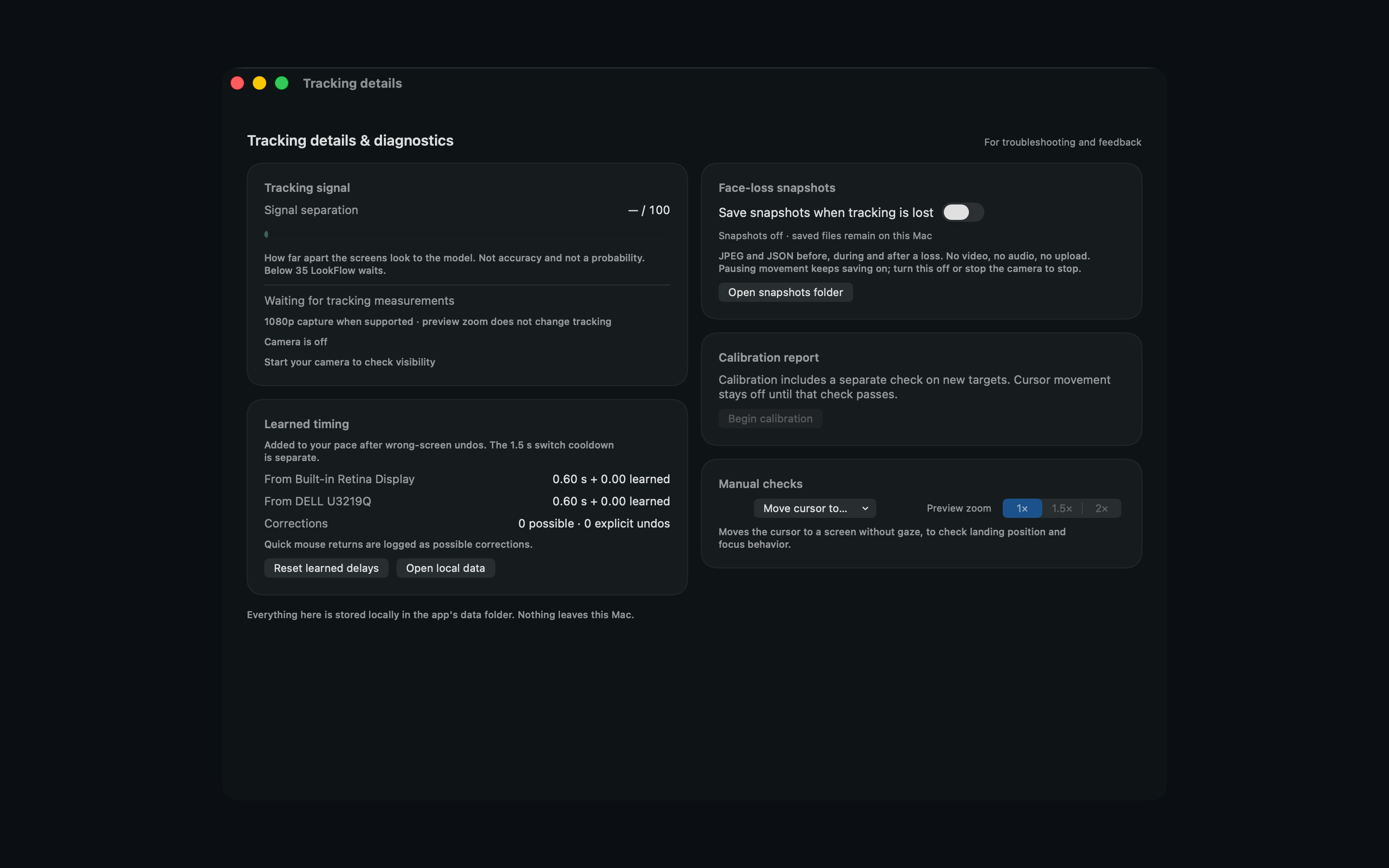
Check the tracking signal, inspect learned timing and see your calibration result in the Tracking details view.
Lighting, camera position, glasses and posture can affect tracking. A calibration pass is a first check; everyday reliability still needs testing on your setup.
TWO WAYS TO USE LOOKFLOW
One-time website licenses. Download LookFlow and try it on your own setup before buying.
CURSOR · WEBSITE EDITION
Move between displays. Keep control of clicks and keyboard focus.
DIRECT EDITION
Pointer switching, with additional control over which window gets focus.
Try Direct features free for 14 days with the website edition. No card, subscription or automatic charge. LookFlow Cursor is also available on the Mac App Store as a separate purchase.
An Apple Silicon Mac running macOS 14 or later, a camera and at least two connected displays. Tracking depends on your camera framing, lighting and display arrangement. Try your own setup during the free trial.
LookFlow estimates which display you are looking at and moves the pointer between displays. It does not provide continuous, pixel-accurate eye tracking or click buttons for you.
Pausing cursor movement leaves the camera running. Use Stop camera to stop capture. In the direct edition, focus follows mouse has its own control and can work with the camera off.
Website prices are €9.99 for Cursor and €14.99 for Direct, paid once with tax included. A 14-day trial needs no card and never charges automatically. Purchase details.
Calibration, settings and diagnostic event logs are stored locally. If you enable face-loss snapshots, local images can include your face and surroundings. They are off by default. Read the privacy details.